If you have looked for public contracts in England, you have probably found two government sites that look like they do the same job: Find a Tender and Contracts Finder. Here is the difference, in plain English.
Find a Tender
Find a Tender is the UK government’s central digital platform. Since 24 February 2025, procurements run under the Procurement Act 2023 in England, Wales and Northern Ireland publish their notices here, from early planning notices through to contract awards. It is also where you register as a supplier and get the unique identifier buyers ask for. Read how to register on Find a Tender.
Contracts Finder
Contracts Finder was the main place for smaller public contracts in England under the older rules, the Public Contracts Regulations 2015. Procurements that started under those rules still publish there, and GOV.UK still gives public bodies requirements for publishing on Contracts Finder. So there are still contracts there you won’t see anywhere else.
What about Scotland and Wales?
Scottish public bodies advertise on Public Contracts Scotland, and many Welsh public bodies use Sell2Wales. If you work near a border, check those too.
So which should you check?
All of them, if you don’t want to miss anything. The catch is that the same contract can appear on more than one site, with a slightly different title, so you end up reading it twice.
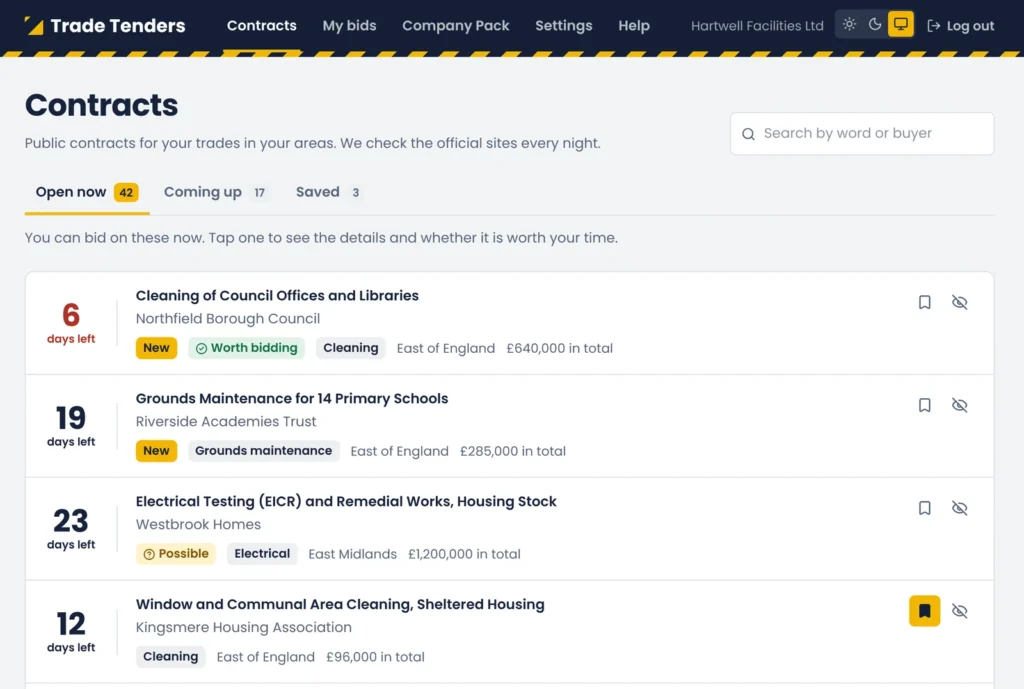
Trade Tenders checks all four every night and merges the copies, so each contract shows once, with links to every site it was published on. It only shows the ones for your trades in your areas. See how it works, or read our wider guide to finding public sector tenders in the UK.
What the notices look like
Both sites publish several kinds of notice. The ones that matter most to you are:
- Planned or early notices: the buyer is telling the market about work that is coming. Use the time to get ready.
- Tender notices (opportunities): the contract is open and you can bid now, before the deadline.
- Award notices: who won and for how much. Useful for knowing who your competitors are and when a contract might come round again.
The notice is not the whole tender
A notice is a summary. The full documents, including the specification, the questions and the pricing schedule, are usually on the buyer’s own e-tendering portal. You will normally need to register on that portal, and often press a button to say you are interested, before you can see them.
Trade Tenders tells you which portal each buyer uses and walks you through registering, opting in and downloading the documents, step by step. See how it works.
Stop checking four websites. Create your free Trade Tenders account. Your first bid is free, and you don’t need a card.